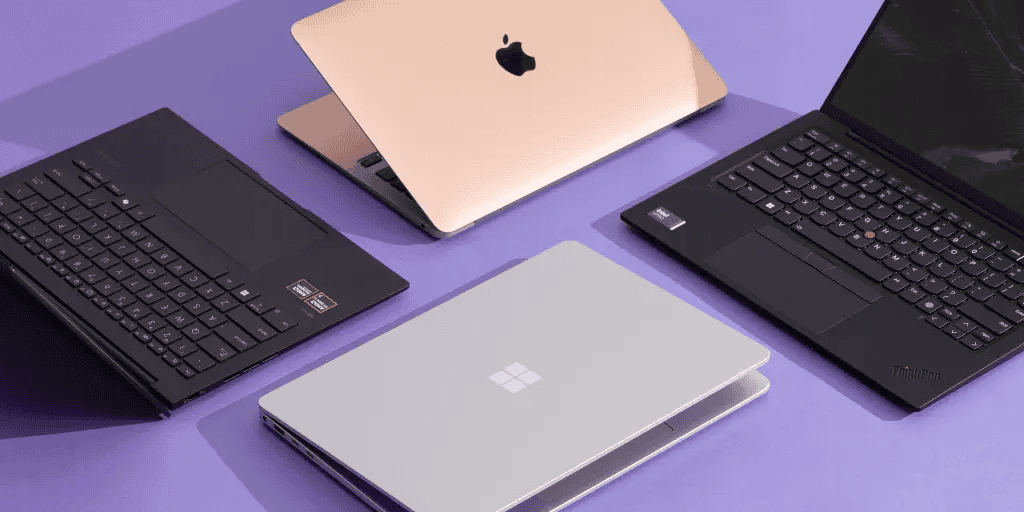
Before diving deep into specs and technical terms, this article helps you understand the core factors that truly shape your laptop experience. Whether you’re a student, creator, professional, or casual user, there are key essentials you must consider.
This quick overview gives you a simple roadmap so you know exactly what to expect in the rest of the article, and how to make a smart, confident choice.
Here’s a quick peek at the essentials:
- Processor (CPU)
- RAM
- Storage SSD vs HDD
- Graphics (GPU)
- Display
- Battery life
- Build Quality and Keyboard
- Ports and Connectivity
- Operating System
- Cooling System
- After sales services
- Webcam & Microphone quality
- Audio quality
- Budget/ Nigeria friendly
Things to Consider When Buying a Laptop
Read through the following 14 factors to have a good feel of what you’ll be looking out for in your next laptop:
1. Processor (CPU)
The CPU is the brain of your laptop. It controls how fast your laptop runs applications, multitasks, and handles complex tasks. A strong CPU ensures smooth performance and future-proofs your investment.
When choosing a processor, you’ll encounter two main manufacturers: Intel and AMD. Intel CPUs are common in business and school laptops, while AMD often offers better price-to-performance for creators and gamers.
The generation of the processor matters significantly—newer CPU generations like 11th, 12th, 13th gen Intel or Ryzen 5000+ series deliver better efficiency and speed than older models. Although, 8th to 10th gen laptop could make a good choice depending other specs.
Recommended choice: For students and business users, Intel Core i3 to i5 or AMD Ryzen 3 to 5 work well. Professionals and gamers should aim for i5/i7/Ryzen 5/Ryzen 7 and above for demanding workloads.
2. RAM (Memory)
RAM temporarily stores data your laptop uses actively. More RAM allows you to run multiple apps simultaneously without slowing down. Think of it as your laptop’s workspace—the bigger it is, the more you can spread out and work efficiently.
Modern laptops come with either DDR4 or DDR5 RAM. DDR5 is faster and more energy efficient than DDR4, but DDR4 is still sufficient for most users and more budget-friendly. Before buying, check if the laptop allows RAM upgrades later, as this can extend your laptop’s useful life significantly.
Recommended choice: 8GB RAM is the bare minimum for daily use like browsing and office work. However, 16GB and above is ideal for programmers, video editors, and heavy multitaskers who run multiple demanding applications.
3. Storage (ROM)
This is where your files, apps, and operating system live permanently. Choosing the right type affects speed, boot time, and storage capacity of your laptop.
The debate between SSDs and HDDs is practically settled now. SSDs are faster, quieter, and more reliable than HDDs, making your laptop boot in seconds and load apps instantly. HDDs offer more storage at a lower price but are significantly slower and more prone to damage from physical shocks. For modern usage, an SSD is non-negotiable.
Recommended choice: 256GB SSD is the minimum for modern usage, though it fills up quickly. 512GB or 1TB is recommended for creatives, gamers, and anyone storing lots of files locally.
4. Graphics (GPU)
The GPU handles visuals and graphical processing. If you play games, edit videos, or run design software, a strong GPU is essential. For basic tasks, your needs are minimal.
Integrated graphics (built into the CPU) are sufficient for browsing, office tasks, and casual media consumption. Dedicated GPUs like Nvidia GTX or RTX series are needed for gaming, 3D rendering, and professional creative work. The amount of VRAM (video memory) on your GPU affects how well it handles high-resolution textures—4GB is minimum for gaming, but 6GB or more is better for modern titles.
Important note: Dedicated GPUs consume significantly more power, which reduces battery life. If portability and long battery matter, consider whether you truly need dedicated graphics.
5. Display Quality
The display is what you see and interact with daily. A good display improves clarity, color accuracy, and overall viewing comfort, reducing eye strain during long work sessions.
Resolution is your first consideration. Full HD (1080p) is the minimum for sharp text and images. Higher resolutions like 2K or 4K are better for creators who need precise color work, though they consume more battery. Panel type matters too—IPS panels offer better colors and viewing angles than cheaper TN panels, while OLED panels provide deeper blacks and vibrant colors with excellent contrast.
Brightness measured in nits determines visibility in different lighting. 300+ nits works well for both indoor and outdoor use, preventing you from squinting at your screen in bright environments. For refresh rate, 60Hz is standard and perfectly adequate for most users, while gamers benefit from 120Hz or 144Hz for smoother motion.
6. Battery Life
Battery life determines how long your laptop runs without plugging in. This is crucial in Nigeria where power supply can be unpredictable.
Check the laptop’s battery capacity, usually measured in watt-hours (Wh). A rating of 50Wh or higher generally provides decent longevity. However, actual battery life depends on many factors including screen brightness, CPU efficiency, and what tasks you’re running. Laptops with energy-efficient processors and SSDs naturally last longer than those with power-hungry components.
Pro tip: Manufacturers often exaggerate battery life claims. Look for real-world reviews from users to get accurate expectations. Also consider that battery capacity degrades over time, so a laptop claiming 8 hours might deliver 6 hours after a year of use.
7. Build Quality & Keyboard
The build affects durability, feel, and portability, while the keyboard affects comfort, especially if you type frequently.
Laptop bodies typically use either metal or plastic. Metal bodies (usually aluminum) are sturdier, feel more premium, and dissipate heat better, but they’re heavier and more expensive. Plastic bodies are lighter and cheaper but may feel less durable and can creak or flex under pressure.
The keyboard deserves special attention if you type regularly. Check the key travel (how far keys depress), spacing between keys, and overall comfort during extended typing sessions. Backlit keyboards are valuable for working in dim environments. Some premium laptops offer multiple brightness levels for the keyboard lighting.
8. Ports and Connectivity
Ports allow you to connect external devices, while connectivity determines network speed and wireless performance.
Essential ports include USB-A for older devices, USB-C for newer peripherals and fast charging, HDMI for external displays, SD card reader for photographers, and a 3.5mm audio jack for headphones. Having multiple port types saves you from buying dongles and adapters. Some thin laptops sacrifice ports for design—make sure the trade-off works for your needs.
For wireless connectivity, Wi-Fi 6 (or newer Wi-Fi 6E) offers faster speeds and better performance in crowded networks compared to older Wi-Fi 5. The latest Bluetooth versions (5.0+) improve connection stability and range for wireless accessories like mice and headphones.
9. Operating System
The operating system is the software that manages your laptop and runs all your applications. Choosing the right OS affects compatibility, user experience, and what software you can use.
Windows remains the most popular choice with broad hardware compatibility and a massive software library. It’s the best option for gaming, business applications, and general use, working with laptops from many manufacturers. macOS is exclusive to Apple MacBooks, known for sleek design, tight security, and seamless integration with iPhones and iPads—excellent for creative professionals using apps like Final Cut Pro.
Linux is free and open-source with high customization potential, popular among developers and tech enthusiasts. It’s less user-friendly for beginners but very secure and efficient. Chrome OS, found on Chromebooks, is simple, fast, and affordable but relies heavily on internet connection and Google services.
Recommended choice: Windows for most users and gamers, macOS for creatives with Apple devices, Linux for developers and tech hobbyists.
10. Cooling System
A laptop’s cooling system prevents overheating and maintains performance. Poor cooling leads to thermal throttling, where your CPU and GPU automatically slow down to avoid damage.
Good laptops use multiple fans and heat pipes to transfer heat away from processors efficiently. Gaming and high-performance laptops need particularly robust cooling to sustain peak performance. When temperatures rise too high, thermal throttling kicks in, causing lag and reduced processing power during demanding tasks.
Always use laptops on hard, flat surfaces—soft surfaces like beds and couches block air vents and trap heat, causing overheating. Effective cooling allows your CPU and GPU to maintain peak performance during intensive activities like gaming, video editing, and 3D rendering.
Recommended choice: Look for laptops with dual-fan systems and vapor chamber cooling if you’re doing heavy tasks. Check reviews that specifically mention thermal performance and temperature management.
11. After Sales Services
After-sales service determines what happens when your laptop develops problems. Good warranty and support save you money and frustration down the line.
Most laptops come with a 1-year manufacturer warranty covering manufacturing defects. Check carefully what’s included and excluded—accidental damage like drops and spills typically aren’t covered. Extended warranties are available for expensive laptops, but read the fine print as some don’t offer much more than standard manufacturer coverage.
In Nigeria, verify that the brand has service centers in your city. Brands like HP, Dell, and Lenovo have better local support networks. Good brands offer quick repairs or replacements, while poor after-sales means being without your laptop for weeks. Some warranties offer add-on accidental damage protection for drops, spills, and other mishaps—worth considering if you’re accident-prone.
Recommended choice: Buy from brands with strong presence in Nigeria. Keep all warranty documents safe. Consider accidental damage protection if reasonably priced.
12. Webcam & Microphone Quality
With remote work, online classes, and video calls now common, webcam and microphone quality matter more than ever before.
Most laptops come with 720p (HD) webcams as minimum standard, while 1080p (Full HD) webcams provide sharper, clearer video for professional calls. Good webcams perform well even in dim lighting, whereas cheap ones make you look grainy and washed out. Built-in microphones should feature noise cancellation to reduce background sounds—dual microphone arrays capture clearer audio from multiple angles.
Some laptops include physical shutters or privacy covers for security when the webcam isn’t in use. Clear video and crisp audio help you maintain a professional image on Zoom, Teams, and Google Meet calls.
Recommended choice: Don’t overlook this feature when choosing a laptop. Test the webcam before buying if possible. For serious video work, you can always upgrade with an external webcam later.
13. Audio Quality
Laptop speakers determine how well you enjoy music, movies, and video calls without relying on headphones.
Speaker configuration matters—budget laptops typically have 2 speakers, while premium models feature 4-6 speakers including dedicated tweeters and woofers for fuller sound. Speaker placement also affects audio quality: upward-firing or side-firing speakers sound better than bottom-firing ones that get muffled when the laptop sits on soft surfaces.
Audio enhancement technologies like Dolby Atmos, Bang & Olufsen, or JBL tuning improve sound quality significantly. Most laptop speakers lack strong bass due to size constraints, though larger laptops with bigger speaker chambers produce better low-frequency response. Keep realistic expectations—even the best laptop speakers can’t match external speakers or quality headphones, but good ones make casual listening genuinely enjoyable.
Recommended choice: If audio matters to you, look for brands known for good speakers like MacBook Pro, Dell XPS, HP Spectre, or ASUS ROG laptops. Otherwise, budget for external speakers or quality headphones.
14. Budget / Nigeria Friendly
Your budget determines which laptops are realistic options. The Nigerian market has unique price challenges and opportunities worth understanding.
Price ranges in Nigeria:
- Entry-level (₦140,000 – ₦250,000): Basic tasks, students, light browsing and office work
- Mid-range (₦250,000 – ₦700,000): Business work, multitasking, light gaming and many professionals
- High-end (₦700,000 – ₦1,500,000+): Professionals, serious gaming, content creation
UK-used (refurbished) laptops often offer significantly better specifications at the same price as new budget models. This option can be smart if you buy from trusted sellers with warranty protection. Check that parts and service are available locally—buying obscure brands may save money initially but cost more in repairs when things go wrong.
Buying from abroad may seem cheaper online, but factor in shipping costs, customs duties, and the lack of local warranty support. Some Nigerian retailers offer installment payment options to spread the cost, though you should check interest rates carefully.
Recommended choices:
- Students: ₦250,000 – ₦450,000 range offers good value. Consider UK-used HP, Dell, or Lenovo business models.
- Professionals: ₦500,000 – ₦900,000 gets reliable performance with proper warranty coverage.
- Creators/Gamers: Budget ₦1,000,000+ for dedicated graphics cards and premium features.
Where to buy: Computer Village in Ikeja, Lagos allows you to compare prices across many shops. Trusted online retailers include Jumia and Konga (always check seller ratings carefully). Specialized laptop dealers often provide better warranty support than general electronics stores.
Conclusion
Buying a laptop is a significant investment in Nigeria. The key is knowing exactly what you need and matching it to your budget.
Don’t compromise on basics—get at least 8GB RAM, 256GB SSD, and a modern processor. These ensure your laptop stays usable for years. Think long-term: a slightly more expensive laptop with better specs serves you longer than a cheap one that struggles after a year.
Warranty matters significantly in our market. Buy from retailers with local presence and clear warranty terms. Know your use case: a student needs different specs than a video editor or gamer. UK-used laptops from quality business lines often outperform new budget models at the same price.
Test before you buy when possible. Check the keyboard, screen, ports, webcam, and speakers. Do your research and read reviews from Nigerian users. Your perfect laptop fits YOUR needs and YOUR budget—use this guide as your checklist and make a confident choice.
Happy laptop hunting!
Comments