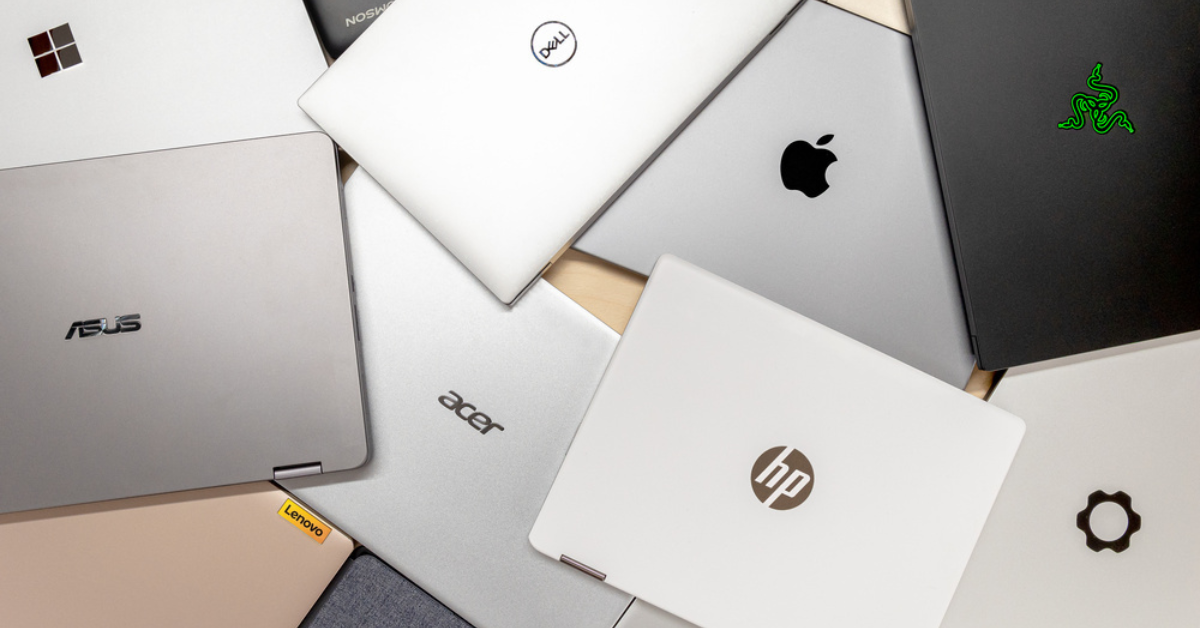
Top 10 Laptop Brands in the World

If you are planning to buy a laptop today, there are alot of solid options that can make your head spin. Walk into any budget store or search online, and you will see dozens of names, logos, and designs. 

But when you are spending hard earned money, you do not want to gamble on an unknown name that might spoil in a few months. You want a brand with a proven track of speed, strong batteries, and durability. 

That’s what this article will help you with.

How We Selected the Top 10 Laptop Brands in the World

Our team studied and compared dozens of laptop manufacturers currently sold and used around the world before narrowing the list down to ten. We looked beyond advertising and focused on real-world reliability, value, and the kind of performance that holds up whether you are a student in Lagos, a freelancer in London, or a gamer in New York. A popular logo alone was never enough to earn a place on this list.

  • Build Quality and Durability: We assessed how well each brand constructs its laptops, from the quality of the hinges and keyboard to the materials used for the body, since a laptop that breaks within a year is not worth any price.
  • Performance for the Price: Every brand was evaluated on what you actually get for your money, whether that is raw processing speed, RAM capacity, or graphics power, compared to what competitors offer at the same price point.
  • Battery Life: A laptop that dies after three hours is frustrating for anyone. We prioritized brands that consistently deliver strong battery performance across their product lines.
  • Range of Products: The best brands serve more than one type of buyer. We favored manufacturers that offer laptops for students, business professionals, creatives, and gamers, rather than those targeting only one niche.
  • Reliability and Longevity: We looked at how long laptops from each brand typically last under regular daily use, since buying a laptop should be a long-term investment, not a yearly expense.
  • Availability of Spare Parts and Repairs: Especially for Nigerian buyers, we considered how easy it is to find replacement parts and qualified technicians locally, particularly in major markets like Computer Village in Lagos.
  • Software and Ecosystem Support: Some brands offer tightly integrated ecosystems that make your devices work better together. We noted which brands offer that advantage and how meaningful it is for everyday users.
  • Global Reputation and Track Record: We looked at how each brand has performed over years and decades, not just recent hype, since consistent quality across generations is the real measure of a trusted manufacturer.

Every brand on this list earned its spot based on what it genuinely delivers to real users. Nothing made the cut simply because it has a recognizable name or a large marketing budget.

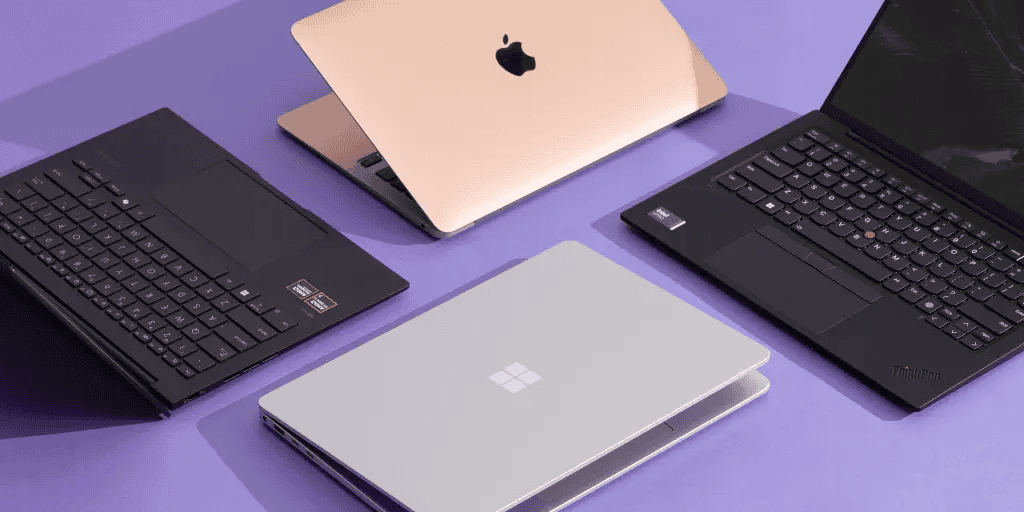
Top Laptop Brands in the World

Whether you are a student, gamer, freelancer, or a business owner, here are the top ten laptop brands in the world in 2026 that you can trust.

[1] Apple (MacBook)

Apple

Apple is the king of premium laptops. Their macBooks are famous: they are incredibly beautiful, they rarely catch viruses, and their batteries last longer than almost anything on the market. If you are a creator, video editor, or just love luxury, Apple is the top choice. 

[2] HP (Hewlett-Packard)

Hp Laptop

Here in Nigeria, HP is like the Toyota of laptops, everyone knows it, everyone trusts it. HP builds laptops for every kind of pocket. From the affordable HP Pavilion for students to the powerful HP EliteBook for office professionals, they provide strong, reliable systems with parts that are very easy to find everywhere in the country. 

[3] Lenovo

Lenovo laptop

Lenovo is the king of business and productivity. They own the famous “Thinkpad”. If you see a laptop with a black, rugged body and little red button in the middle of the keyboard, that is a ThinkPad. Lenovo laptops are built like tanks, they can survive falls, spills, and heavy daily use without breaking a sweat. 

[4] Dell 

dell laptop

If you are looking for a brand that focuses purely on performance and longevity, Dell is your answer. Their XPS line is widely considered the best Windows rival to the Apple Macbook, while their Latitude series is a favorite for heavy office work. If you want a laptop with a brilliant screen and strong processing power that will last for years, Dell is a solid investment. 

[5] Asus 

Asus laptop

Asus used to be the underdog, but today, they are absolute giants. They are extremely popular among gamers and creative designers. Asus laptops usually offer you better internal specs (like more RAM and better graphics) for a cheaper price compared to Dell or Apple.

[6] Acer 

Acer laptop

Acer excels at making budget-friendly laptops that perform very well. If you are looking for pure “value for money”, Acer should be your go-to laptop. Their Aspire series gives students and everyday users everything they need to browse, type, and watch movies without emptying their bank accounts. 

[7] Microsoft (Surface) 

Microsoft laptop

    Microsoft is the company that makes the Windows software we all use, but they also make their own laptops called Surface. Microsoft Surface laptops are ultra-slim, have beautiful touchscreens, and feel very premium. They are perfect for people who are always moving around and need something lightweight to carat in their bags. 

    [8] MSI  

    MSI Laptop

      This brand is very popular among gamers, unless you play video games you might not know MSI. It is a legendary brand in the gaming world, their laptops are normally thick, heavy and packed with colourful keyboards. They are built purely for extreme speed and handling heavy software that would make a normal laptop crash. 

      [9] Samsung 

      Samsung laptop

        Yes, it is the same Samsung that produces top notch mobile phones and televisions. They also make laptops. Samsung’s Galaxy Book series is built to work perfectly with your Samsung phone. They have beautiful, bright screens and are very and easy thin to carry. 

        [10] Razer

        razer laptop

          Razer is the absolute luxury brand for gamers. Think of them as the Apple of the gaming world. Their laptops are made of sleek, black aluminum and pack an unbelievable amount of power into a very thin body. They are very expensive, but if you want to play the heaviest games in style, Razer is the brand.

          How to Get the Best Brands Without Breaking the Bank 

          To be realistic, buying a brand-new Apple, Dell, or Lenovo in Nigeria is extremely expensive due to the current exchange rate. But that doesn’t mean you have to settle for a cheap, fake or low quality laptop. 

          If you want to own these global giants without crying when you check your bank account, the best secret is to go for high-quality UK Used laptops. .

          At ukusedlaptops.com.ng we make that completely stress-free for you. We review and recommend that absolute best UK-used Apple, HP, Dell, and Lenovo laptops imported directly by our trusted partners at Shopinverse.

          Top 5 Gaming Laptop Prices in Nigeria

          Are you looking to buy a gaming laptop in Nigeria? You should already know that you should prepare your bank account. Whether you are a hardcore gamer, a video editor or a 3D animator, gaming laptops are the most powerful computers on the market and their prices are usually high end. No worries thoug, we’ve got affordable but clean UK-used options for you.

          How we Selected the Top Gaming Laptops in Nigeria

          Our team reviewed dozens of gaming laptops currently available in the Nigerian market before narrowing the list down to five. We looked at real-world performance, local pricing data, and how well each laptop holds up under the kind of heavy use Nigerian gamers, editors, and creators actually put them through. A flashy brand name alone was never enough to earn a spot on this list.

          • Raw Processing Power: We checked each laptop’s CPU and GPU combination to confirm it can handle demanding tasks like AAA gaming, 4K video editing, and 3D rendering without slowing down or crashing mid-session.
          • Nigerian Market Pricing: Every laptop was evaluated based on what it actually costs in Nigeria today, both brand new and UK-used, so you know exactly what to budget before you walk into Computer Village or place an online order.
          • Cooling System Quality: Nigerian weather is hot, and power cuts mean laptops often run on battery under load. We prioritized laptops with strong thermal management that prevent dangerous overheating during long sessions.
          • UK-Used Availability and Value: Since most Nigerian buyers shop the UK-used market, we factored in how much you genuinely save compared to buying new, and whether the price drop is actually worth it for each model.
          • Display Quality: Whether you are gaming competitively or color-grading a video, your screen matters. We assessed refresh rate, brightness, and color accuracy for each laptop on the list.
          • Repairability and Spare Parts Access: A laptop you cannot fix locally is a liability. We considered how easy it is to find spare parts and technicians for each brand within Nigeria, particularly in Lagos and Abuja.
          • Portability vs. Performance Balance: Some buyers need a laptop they can carry to a client meeting or a cafĂ©. We noted which models offer that balance and which are better suited to a desk setup.

          Every laptop on this list was chosen because it solves a real problem Nigerian buyers face, whether that is budget, availability, heat, or sheer performance. Nothing made the cut just because it has a popular logo.

          Best 5 Gaming Laptop in Nigeria

          Here are the top 5 gaming laptops in Nigeria today, how much they currently cost, and the smartest way to get one without emptying your wallet. 

          [1] ASUS ROG Zephyrus G14    

          ASUS ROG Zephyrus G14 

          The ASUS ROG is a beast. It is highly loved because it is incredibly thin and lightweight, yet it carries enough power to play any heavy game or render 4K video without hanging. It is the ultimate flex for creators and gamers, but as the price as shown it is for those with a high budget. Buying it UK-used saves about a million Naira

          • Brand New Price:  ₦2,350,000 – ₦2,600,000.
          • UK-Used Price: Check here

          [2] Lenovo Legion 5 Pro 

          Lenovo Legion 5 Pro 

          The Legion series is easily one of the most respected gaming laptops in Nigeria. It has a fantastic cooling system, meaning the laptop does not overheat even if you play games or work for 10 hours straight. The screen is also exceptionally bright and colorful, making it a favourite for gamers.

          • Brand New Price:  ₦2,200,000 – ₦2,400,000
          • UK-used Price:  Check here

          [3] Acer Nitro 5 

          Acer Nitro 5 

          If you want a modern gaming laptop but cannot afford the ASUS or Lenovo, the Acer Nitro 5 is your best alternative. It gives you raw performance, a glowing keyboard, and solid graphics for slightly lower cost. The Uk-used market is where this laptop truly shines, it is sold at a relatively cheap price. 

          • Brand New Price:  ₦1,150,000 – ₦1,400,000
          • UK-used Price:  Check here

          [4] HP Victus 15 

          HP Victus 15

          The victus line was created by HP specifically for people who want to enter the gaming world without spending 2 million Naira. It has a very simple, professional design, so you can carry it to an office meeting without looking like you brought a toy. It is strong, reliable, and HP spare parts are very easy to find in Computer Village in case it needs repair. 

          • Brand New Price:  ₦1,250,000 – ₦1,750,000
          • UK-used Price:  Check here

          [5] Dell Inspiron 15 7000 Gaming (The Smart Buyer’s Choice) 

          Dell Inspiron 15 7000 Gaming

          The Dell Inspiron 15 7000 Gaming is an absolute powerhouse featuring an Intel Core i7 processor, 16GB of RAM, a super-fast 512GB SSD, and a 4GB Nvidia GeForce GTX 1050 Ti dedicated graphics card. It has everything you need for heavy software, editing videos, and playing intense games smoothly. 

          • Brand New Price:  ₦1,400,000
          • UK-used Price:  Check here

          Stop Overpaying for Performance.

          At ukusedlaptops.com.ng, we believe that you shouldn’t have to empty your wallet just get a computer that works perfectly. We review the neatest, most powerful UK-used laptops in Nigeria. 
          Why pay double when ₦742,800 (Dell inspiron 15 Gaming) can do the job perfectly? You can the Dell gaming laptop from shop before it sells out

          How to Check Battery Health of a New (or UK Used) Laptop

          When you buy a laptop (new or uk-used) the first thing you probably check is the physical body. But the most important part of a laptop you cannot see from outside: The Battery 

          Due to the power situation in Nigeria, a laptop with a bad battery is just a desktop computer. 

          This article takes you through a simple, step-by-step guide to checking your battery health like a pro. 

          How to Check the Battery Health of a Windows Laptop 

          For most windows laptops (HP, Dell, Lenovo, Asus) you don’t need to download any special app or have an internet connection to check the battery condition. 

          Step 1: Open the Command Prompt 

          Click your Start Button, type “cmd” in the search bar, and click on the “Command Prompt”. A black screen will pop up 

          Step 2: Type the magic Code

          Inside that black screen, carefully type this: powercfg /batteryreport 

          (make sure you leave a space after powercfg) and press Enter key 

          Step 3: Find the Report 

          The black screen will bring up a message saying battery life has been saved. It will show you the exact folder it was saved in (usually it looks like C:\Users\YourName\battery-report.html). 

          Step 4: Read the Results 

          Open your File Explorer (where you normally check your folders), follow that path, and double-click the “battery-report” file. It will be in your web browser like a normal webpage. 

          Scroll down until you see Design Capacity and Full Capacity 

          PS: If the Full Charge Capacity is very close to the Design Capacity, then your battery is in top-notch health, But if the Full Charge Capacity is less than half of the original Design Capacity, that battery is already very weak and will definitely frustrate you.

          Alternative for Windows

          If typing codes into a black screen feels too technical for you, do not worry. There are free, easy-to-use apps that can show you your battery health in a much more visual and friendly way. Here are the most popular ones:

          • PC Health Check (Built into Windows): If your laptop is running Windows 11, there is a good chance this app is already on your system. Just click your Start Button, search “PC Health Check”, and open it. While it is mainly known for checking if your laptop can run Windows 11, it also gives you a quick overall health summary of your system. If it’s not available on your laptop, you can download here.
          • BatteryInfoView (by NirSoft): This is a lightweight, no-installation-needed tool. Just download it, open it, and it immediately shows you your battery’s Design Capacity, Full Charge Capacity, and current wear level all on one clean screen. No stress, no command prompt.
          • HWiNFO: This one is for people who want to see everything about their laptop at once — battery, processor, temperature, and more. It is slightly more detailed, but the battery section is easy to find and very accurate. Many technicians in Computer Village use this one.
          • BatteryCare: This app sits quietly in your taskbar and monitors your battery in real time. It shows you your wear level, cycle count, and even notifies you when your battery health is dropping. Very good for day-to-day monitoring after you have already bought the laptop.

          Tip: Any of these apps will give you the same result as the command prompt method. They are especially useful if you want to quickly check a laptop’s battery health in the shop before paying for it.

          How to Check Battery on a MacBook 

          If you are buying an Apple MacBook, checking the battery is much easier. Apple shows you everything in the system system settings. 

          Step 1: 

          Click on the apple logo at the bottom left corner of your screen 

          Step 2:

          Hold down the option key on your keyboard. You will see the first menu option change from “About This Mac” to “System Information”. Click it 

          Step 3: 

          In the new window that opens, look at the left side, scroll down to the “hardware” section, and click on “power”. 

          Step 4: 

          Look at the right side of the screen for “cycle counts” and “condition”. 

          Best Way to Avoid Battery Issues 

          Checking battery health is very important, especially if you are buying from a random vendor. At ukusedlaptops.com.ng you can buy a laptop knowing that the battery is hundred percent solid. 

          We take the guesswork out of buying gadgets. We review and recommend only the best, well-tested UK-used laptops imported directly by ShopInverse. 

          How to Send a Laptop From the UK to Nigeria

          If you have a family member in the UK, or you found a good laptop deal on a British website, you might be wondering how to send a laptop down to Nigeria. It sounds as simple as just mailing it right?

          Actually it’s a bit more complicated than that. Laptops are expensive and delicate. Also, because of the batteries inside them, shipping companies have strict rules on how they must be transported. 

          If you don’t follow the right steps, your laptops could get delayed, seized by customs, or even damaged on the way.

          Step-by-step Guide to Send a Laptop From the UK to Nigeria

          Here is a simple guide on how to send a laptop from the UK to Nigeria safely:

          [1] Understand the “Battery Issue”

          It is important to know that laptops contain Lithium-ion batteries. Airlines classify these batteries as “dangerous” goods because they can cause fire if they get too hot or get damaged  

          Due to this fact, you cannot just use any cheap or random delivery service, you must use a courier that is allowed to carry batteries. Also the batteries must remain inside the laptop( do not remove it to pack seperately). 

          [2] Package it Properly 

          Shipping a laptop from the UK to Nigeria is a long journey. Along the way, it will pass through vans, airplanes, and warehouses, so proper packaging is essential to keep it safe.

          • Turn it off: Make sure the laptop is turned off, not on sleep or hibernate 
          • Make use of a lot of Bubble wrap 
          • Use a strong carton: Put the Bubble-wrapped laptop inside a strong double walled carton. And fill the empty spaces with soft materials 
          • Tape it well: Use strong packing tape to seal all edges of the carton 

          [3] Choosing the right Shipping Company 

          Here are some few options depending on your pocket and how fast you need that laptop 

          • Express Couriers (DHL, FedEx): These are the safest and fastest. They handle the customs clearing for you and deliver straight to your door 
          • Freight Forwarders (Sendbox, Heroshe, Cargo Naija): These logistics companies give you a UK address. You send the laptop to that address, and they fly it to Nigeria for you. They are usually cheaper than DHL and charge per KG. 
          • Sea Cargo: If you’re sending many laptops at once for business, sending them by ship is the cheapest option. However, it takes weeks to arrive and requires a lot of patience. 

          [4] Get Ready for Customs 

          When the laptop arrives in Nigeria, the Nigeria Customs Service will check it. If it is a brand-new or high-value laptop, you will have to pay an import duty (customs fee) before they release it. 

          If you use a freight forwarder, they normally add this customs fee to yout total shipping bill. This is good because it saves you the stress of going to the airport to argue with customs officers yourself. 

          The “Smarter” Alternative 

          Let’s be honest. Buying a laptop in the UK, changing Naira to pounds at the current high rate, paying for shipping, and all. Most times it ends up costing you more money than just buying it here. 

          If you want a very neat, strong UK-used laptops without the shipping stress, we have you covered at ukusedlaptops.com.ng – we review and recommend the best Uk-used laptops that are already imported and cleared into Nigeria by trusted sellers like shopinverse.

          5 Places to Swap Your Old Laptops in Lagos

          Is your laptop now slow? Is the screen giving you issues? Or you just need a different fine, fast system for a new job. 

          To get a solid laptop now in Nigeria might cost you at least ₦250,000. Instead of throwing away your old laptop or leaving it to gather dust in your wardrobe, you can swap your old one, add some money, and get a better machine. 

          Places to Swap Laptops in Lagos

          If you live or stay close to Lagos, here are 5 reliable places to swap your old laptop:

          [1] Computer village, Ikeja (The Tech Hub)

          You cannot talk about swapping gadgets in Nigeria without mentioning Computer Village. It is the headquarters of tech. There are hundreds of stores here that will value your old laptop and give you another one if you add cash.

          Tip: Always shine your eyes and test the new laptop properly before leaving Computer Village. It’s best to go with someone who knows the architecture of the village.

          [2] Hinckley Recycling (Best for Getting Cash on the Spot)

          If your old laptop is sitting there and you just want real cash in your hand fast, Hinckley Recycling is the place. They buy any device — new, old, or even broken — so you do not have to worry about whether your system is in perfect condition or not. The process is refreshingly simple: book an appointment, show up at their office on 104, Obafemi Awolowo Way, Ikeja, and walk away with cash. No long story, no long negotiation. Once they assess your device, they pay you immediately. You can then use that money to fund your upgrade however you like.

          Tip: Book your appointment before showing up so you are not kept waiting. Since they accept broken and damaged devices too, this is a solid option even if your laptop is not in the best shape.

          [3] MarketNG (For Online swappers) 

          If you hate the noise and stress of going to the market, Markets.ng is a great option. They are a platform that allows you to swap, sell, or buy gadgets easily. You simply go to their website, tell them the type of laptop you have, and they give you an instant quote. If you agree, they help you arrange a pickup or delivery so you can swap it without leaving your house.

          [4] Adeb Computer (For Island Residents) 

          If you stay in the/close to the Island, going all the way to Ikeja or Maryland because of a laptop can be very stressful because of traffic. Adeb Computers is a great spot for you. Located at the Ikota Shopping Complex in Ajah, they do sales, repairs, and most importantly, laptop swaps. It saves you the journey to the mainland.

          [5] BuyScrap Nigeria (For completely Dead Laptops) 

          What if your laptop is completely dead, broken in half, or just pure scrap? Normal shops won’t swap a dead laptop, but BuyScrap Nigeria will buy it from you. They are a recycling company that pays cash for electronic waste. Even if it is totally condemned, you can still get a few thousands (from ₦5,000 upwards) out of it. It is much better than throwing it away. 

          What Next After Deciding to Swap?

          Whether you are taking your old laptop to Shopinverse for a direct trade-in or selling it as scrap to buy a new one, do not go shopping blind. At ukusedlaptops.com.ng, we make your upgrade process incredibly easy. We write detailed, honest reviews and recommend the absolute best UK-used laptops. 

          Before you swap, visit ukusedlaptops.com.ng to read our guides. We will show you exactly which laptops give you the best speed, battery life, and value for your budget so you can make your swap with 100% confidence. 

          How Much Does It Cost to Flash a Laptop in Nigeria?

          Is your laptop hanging, disturbing you with viruses, or you want to change the ownership. The first advice any Nigerian technician will give you is, “We need to flash this system”.

          “Flashing” basically means formatting the laptop. It involves wiping the hard drive completely and installing a fresh Operating system (Windows 10 or 11) so the computer can feel brand new again.

          But the big questions is: how much should you pay for this service in 2026? 

          The Average Cost of Formatting a Laptop

          Right now, the cost of flashing a laptop in Nigeria ranges from ₦7,000 to ₦15,000.

          Why is there a difference in price? It depends on three main things:

          1. File Backup (Very Important): If you have heavy files (like movies, pictures and big documents) that the technician has to save before wiping the system, they will charge you more. But if you have already backed up your own files to a flash drive or hard drive, the price will be cheaper. 
          1. Software Installation: You are not just paying for Windows. A good technician will install other basic software like VLC, Chrome, and an antivirus. But if you ask for heavy installations like photoshop, CorelDraw< AutoCAD expect to pay closer to the  ₦15,000 mark.
          1. Location: Where you fix the laptop matters. You cannot expect a technician inside a Big plaza in Computer Village to charge the same as a guy running a small shop, the latter will charge you higher. 

          What to Watch Out For (Red Flags)  

          Before you hand over your hard-earned money, keep these things in mind: 

          • Make sure the technician installs your drivers – Bluetooth, Keyboard Light, Wi-Fi and sound. Some lazy technicians will install only windows and tell you it’s done only for you to discover your drive or any of the drivers is not working. 
          • Don’t let them convince you to pay for an expensive antivirus if they are going to install a cracked version that will stop working in two weeks. 
          • Always check your laptop properties (like your RAM and storage space) before giving a stranger to flash. Make sure he didn’t swap your 8GB RAM for a 4GB RAM in the name of “fixing”the system.

          Avoid the Stress Completely 

          Dealing with slow laptops, viruses, and technicians can be a big headache. If your current laptop is always giving you problems, maybe it’s time for an upgrade. 

          At ukusedlaptops.com.ng, we help you avoid this stress completely. We review and recommend top quality UK-used laptops from Shopinverse. 

          You buy it, turn it on, and you start working immediately. No need to look for a technician to flash or install basic apps/drivers every time. 

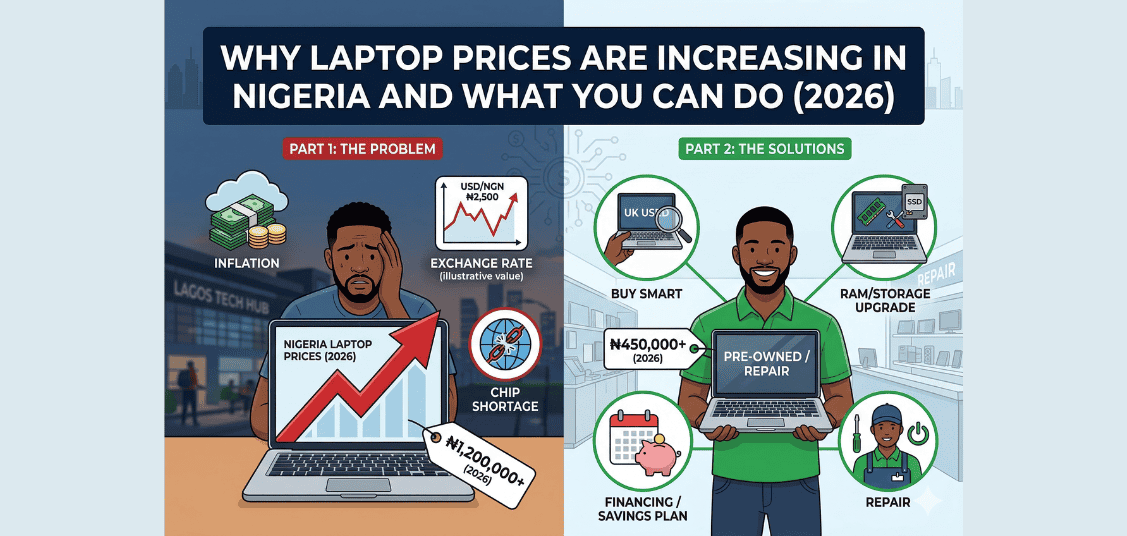
          Why Laptop Prices Are Increasing in Nigeria and What You Can Do (2026)

          If you have tried to buy a computer recently, you already know the reality, the days of picking up a highly capable, brand-new laptop for ₦150,000 are completely behind us. In 2026, entry-level, brand-new laptops are starting around ₦350,000 to ₦400,000, while premium models easily cross the 2 million Naira mark.

          Whether you are a student preparing for projects, a freelancer handling remote gigs, or a business upgrading its office tech, these prices can be a massive shock to your budget.

          But why exactly are laptop prices so high in Nigeria right now, and more importantly, how can you get a great laptop without emptying your bank account? Let’s break it down.

          Why Laptop Prices Are Increasing in Nigeria and What You Can Do (2026)

          The Main Reasons Behind High Laptop Prices in Nigeria

          Again, laptop prices are rising and while some suggest that the best time to get your laptop is now. Others are more hopeful of a price drop in the future. To better evaluate your chances, let’s take a dive into why there’s a hike in the first place:

          [1] The Dollar to Naira Exchange Rate 

          Almost all laptops in Nigeria are imported. Right now, the exchange rate is hovering around ₦1,400 to $1. Even if a laptop costs just $500 abroad, by the time you convert it to Naira, pay for shopping, and clear it at the port, the price has already shot up. You are basically paying more because of the weak Naira, not because the laptop itself is extraordinary. 

          [2] High Cost of Clearing and Transport 

          Bringing goods into Nigeria is not cheap. The cost of clearing containers at the ports has gone up. Plus, the cost of transporting these laptops to shops across the country is high. Sellers have to add all these expenses to the final price of the laptop so they don’t run a loss. 

          [3] Increased Cost of RAM and SSD

          The recent boom in Artificial Intelligence has led chipmakers to prioritise higher-margin memory products, which can tighten supply for consumer-grade laptops.

          In other words, as AI data centres consume more memory, consumer devices feel the supply squeeze. Also, a Bloomberg report has warned that structural bottlenecks in semiconductor manufacturing may keep global memory chip supplies tight for the next four to five years.

          [4] New AI Technology 

          Laptop makers like HP, Dell, and Apple are adding new, expensive technology to their computers. In 2026, many new laptops come with special chips for Artificial Intelligence (AI). While these features are cool, they make the laptops much more expensive to produce in the factory.

          What You Can Do (How to Survive the Price Hike)

          Here are 3 power tips to survive (or let’s say, cope with) the price hike of laptops in Nigeria:

          [1] Focus on Speed, Not Just “Fine Body”

          When you don’t have a massive budget, forget about looking for the sleekiest or finest laptop. Focus on what makes the laptop work well. Look for a laptop with at least 8GB or 16GB of RAM. Also, make sure it uses an SSD (Solid State Drive) instead of the old HDD. An older, thicker laptop with an SSD will work much faster than a fast new laptop with a slow hard drive. 

          [2] Beware of Fake “Brand New” Laptops 

          Due to the situation, some bad sellers are taking old, repaired laptops, packaging them in new cartons, and selling them as “brand new” for cheap. Be very careful. If a new laptop is too cheap to be true, it is probably a scam. It’s better to buy a clean used laptop than a fake one that will spoil in weeks.  

          [3] Buy High Quality UK-used Laptops (The Best Secret)

          For most Nigerians today, the smartest choice is to buy a UK-used laptop. For instance, instead of spending  ₦800,000 on a basic new laptop, you can spend half of that money to buy a very clean, powerful UK-used Core i5 or i7 laptop. 

          At ukusedlaptops.com.ng, we make finding these deals easy. We review and recommend the best, high-quality UK used laptops available from trusted retailers like Shopinverse. We do the hard work of finding the neatest, most reliable systems so you don’t have to. We point you directly to strong, fast laptops for your work or school projects, ensuring you get exactly what you need without spending all your savings or worrying about being scammed.

          Conclusion

          Buying a laptop in 2026 requires street smarts (if you know, you know). The exchange rate might be high, but you don’t have to suffer for it. By switching to high-quality UK used systems, you get the best value for your money.

          Looking for a strong laptop that fits your pocket? Check our previous articles today to check out our top recommendations and find a machine that works perfectly for you.

          14 Things to Consider When Buying a Laptop

          Before diving deep into specs and technical terms, this article helps you understand the core factors that truly shape your laptop experience. Whether you’re a student, creator, professional, or casual user, there are key essentials you must consider.

          This quick overview gives you a simple roadmap so you know exactly what to expect in the rest of the article, and how to make a smart, confident choice.

          Here’s a quick peek at the essentials:

          1. Processor (CPU)
          2. RAM
          3. Storage SSD vs HDD
          4. Graphics (GPU)
          5. Display
          6. Battery life
          7. Build Quality and Keyboard
          8. Ports and Connectivity
          9. Operating System
          10. Cooling System
          11. After sales services
          12. Webcam & Microphone quality
          13. Audio quality
          14. Budget/ Nigeria friendly

          Things to Consider When Buying a Laptop

          Read through the following 14 factors to have a good feel of what you’ll be looking out for in your next laptop:

          1. Processor (CPU)

          The CPU is the brain of your laptop. It controls how fast your laptop runs applications, multitasks, and handles complex tasks. A strong CPU ensures smooth performance and future-proofs your investment.

          When choosing a processor, you’ll encounter two main manufacturers: Intel and AMD. Intel CPUs are common in business and school laptops, while AMD often offers better price-to-performance for creators and gamers.

          The generation of the processor matters significantly—newer CPU generations like 11th, 12th, 13th gen Intel or Ryzen 5000+ series deliver better efficiency and speed than older models. Although, 8th to 10th gen laptop could make a good choice depending other specs.

          Recommended choice: For students and business users, Intel Core i3 to i5 or AMD Ryzen 3 to 5 work well. Professionals and gamers should aim for i5/i7/Ryzen 5/Ryzen 7 and above for demanding workloads.

          2. RAM (Memory)

          RAM temporarily stores data your laptop uses actively. More RAM allows you to run multiple apps simultaneously without slowing down. Think of it as your laptop’s workspace—the bigger it is, the more you can spread out and work efficiently.

          Modern laptops come with either DDR4 or DDR5 RAM. DDR5 is faster and more energy efficient than DDR4, but DDR4 is still sufficient for most users and more budget-friendly. Before buying, check if the laptop allows RAM upgrades later, as this can extend your laptop’s useful life significantly.

          Recommended choice: 8GB RAM is the bare minimum for daily use like browsing and office work. However, 16GB and above is ideal for programmers, video editors, and heavy multitaskers who run multiple demanding applications.

          3. Storage (ROM)

          This is where your files, apps, and operating system live permanently. Choosing the right type affects speed, boot time, and storage capacity of your laptop.

          The debate between SSDs and HDDs is practically settled now. SSDs are faster, quieter, and more reliable than HDDs, making your laptop boot in seconds and load apps instantly. HDDs offer more storage at a lower price but are significantly slower and more prone to damage from physical shocks. For modern usage, an SSD is non-negotiable.

          Recommended choice: 256GB SSD is the minimum for modern usage, though it fills up quickly. 512GB or 1TB is recommended for creatives, gamers, and anyone storing lots of files locally.

          4. Graphics (GPU)

          The GPU handles visuals and graphical processing. If you play games, edit videos, or run design software, a strong GPU is essential. For basic tasks, your needs are minimal.

          Integrated graphics (built into the CPU) are sufficient for browsing, office tasks, and casual media consumption. Dedicated GPUs like Nvidia GTX or RTX series are needed for gaming, 3D rendering, and professional creative work. The amount of VRAM (video memory) on your GPU affects how well it handles high-resolution textures—4GB is minimum for gaming, but 6GB or more is better for modern titles.

          Important note: Dedicated GPUs consume significantly more power, which reduces battery life. If portability and long battery matter, consider whether you truly need dedicated graphics.

          5. Display Quality

          The display is what you see and interact with daily. A good display improves clarity, color accuracy, and overall viewing comfort, reducing eye strain during long work sessions.

          Resolution is your first consideration. Full HD (1080p) is the minimum for sharp text and images. Higher resolutions like 2K or 4K are better for creators who need precise color work, though they consume more battery. Panel type matters too—IPS panels offer better colors and viewing angles than cheaper TN panels, while OLED panels provide deeper blacks and vibrant colors with excellent contrast.

          Brightness measured in nits determines visibility in different lighting. 300+ nits works well for both indoor and outdoor use, preventing you from squinting at your screen in bright environments. For refresh rate, 60Hz is standard and perfectly adequate for most users, while gamers benefit from 120Hz or 144Hz for smoother motion.

          6. Battery Life

          Battery life determines how long your laptop runs without plugging in. This is crucial in Nigeria where power supply can be unpredictable.

          Check the laptop’s battery capacity, usually measured in watt-hours (Wh). A rating of 50Wh or higher generally provides decent longevity. However, actual battery life depends on many factors including screen brightness, CPU efficiency, and what tasks you’re running. Laptops with energy-efficient processors and SSDs naturally last longer than those with power-hungry components.

          Pro tip: Manufacturers often exaggerate battery life claims. Look for real-world reviews from users to get accurate expectations. Also consider that battery capacity degrades over time, so a laptop claiming 8 hours might deliver 6 hours after a year of use.

          7. Build Quality & Keyboard

          The build affects durability, feel, and portability, while the keyboard affects comfort, especially if you type frequently.

          Laptop bodies typically use either metal or plastic. Metal bodies (usually aluminum) are sturdier, feel more premium, and dissipate heat better, but they’re heavier and more expensive. Plastic bodies are lighter and cheaper but may feel less durable and can creak or flex under pressure.

          The keyboard deserves special attention if you type regularly. Check the key travel (how far keys depress), spacing between keys, and overall comfort during extended typing sessions. Backlit keyboards are valuable for working in dim environments. Some premium laptops offer multiple brightness levels for the keyboard lighting.

          8. Ports and Connectivity

          Ports allow you to connect external devices, while connectivity determines network speed and wireless performance.

          Essential ports include USB-A for older devices, USB-C for newer peripherals and fast charging, HDMI for external displays, SD card reader for photographers, and a 3.5mm audio jack for headphones. Having multiple port types saves you from buying dongles and adapters. Some thin laptops sacrifice ports for design—make sure the trade-off works for your needs.

          For wireless connectivity, Wi-Fi 6 (or newer Wi-Fi 6E) offers faster speeds and better performance in crowded networks compared to older Wi-Fi 5. The latest Bluetooth versions (5.0+) improve connection stability and range for wireless accessories like mice and headphones.

          9. Operating System

          The operating system is the software that manages your laptop and runs all your applications. Choosing the right OS affects compatibility, user experience, and what software you can use.

          Windows remains the most popular choice with broad hardware compatibility and a massive software library. It’s the best option for gaming, business applications, and general use, working with laptops from many manufacturers. macOS is exclusive to Apple MacBooks, known for sleek design, tight security, and seamless integration with iPhones and iPads—excellent for creative professionals using apps like Final Cut Pro.

          Linux is free and open-source with high customization potential, popular among developers and tech enthusiasts. It’s less user-friendly for beginners but very secure and efficient. Chrome OS, found on Chromebooks, is simple, fast, and affordable but relies heavily on internet connection and Google services.

          Recommended choice: Windows for most users and gamers, macOS for creatives with Apple devices, Linux for developers and tech hobbyists.

          10. Cooling System

          A laptop’s cooling system prevents overheating and maintains performance. Poor cooling leads to thermal throttling, where your CPU and GPU automatically slow down to avoid damage.

          Good laptops use multiple fans and heat pipes to transfer heat away from processors efficiently. Gaming and high-performance laptops need particularly robust cooling to sustain peak performance. When temperatures rise too high, thermal throttling kicks in, causing lag and reduced processing power during demanding tasks.

          Always use laptops on hard, flat surfaces—soft surfaces like beds and couches block air vents and trap heat, causing overheating. Effective cooling allows your CPU and GPU to maintain peak performance during intensive activities like gaming, video editing, and 3D rendering.

          Recommended choice: Look for laptops with dual-fan systems and vapor chamber cooling if you’re doing heavy tasks. Check reviews that specifically mention thermal performance and temperature management.

          11. After Sales Services

          After-sales service determines what happens when your laptop develops problems. Good warranty and support save you money and frustration down the line.

          Most laptops come with a 1-year manufacturer warranty covering manufacturing defects. Check carefully what’s included and excluded—accidental damage like drops and spills typically aren’t covered. Extended warranties are available for expensive laptops, but read the fine print as some don’t offer much more than standard manufacturer coverage.

          In Nigeria, verify that the brand has service centers in your city. Brands like HP, Dell, and Lenovo have better local support networks. Good brands offer quick repairs or replacements, while poor after-sales means being without your laptop for weeks. Some warranties offer add-on accidental damage protection for drops, spills, and other mishaps—worth considering if you’re accident-prone.

          Recommended choice: Buy from brands with strong presence in Nigeria. Keep all warranty documents safe. Consider accidental damage protection if reasonably priced.

          12. Webcam & Microphone Quality

          With remote work, online classes, and video calls now common, webcam and microphone quality matter more than ever before.

          Most laptops come with 720p (HD) webcams as minimum standard, while 1080p (Full HD) webcams provide sharper, clearer video for professional calls. Good webcams perform well even in dim lighting, whereas cheap ones make you look grainy and washed out. Built-in microphones should feature noise cancellation to reduce background sounds—dual microphone arrays capture clearer audio from multiple angles.

          Some laptops include physical shutters or privacy covers for security when the webcam isn’t in use. Clear video and crisp audio help you maintain a professional image on Zoom, Teams, and Google Meet calls.

          Recommended choice: Don’t overlook this feature when choosing a laptop. Test the webcam before buying if possible. For serious video work, you can always upgrade with an external webcam later.

          13. Audio Quality

          Laptop speakers determine how well you enjoy music, movies, and video calls without relying on headphones.

          Speaker configuration matters—budget laptops typically have 2 speakers, while premium models feature 4-6 speakers including dedicated tweeters and woofers for fuller sound. Speaker placement also affects audio quality: upward-firing or side-firing speakers sound better than bottom-firing ones that get muffled when the laptop sits on soft surfaces.

          Audio enhancement technologies like Dolby Atmos, Bang & Olufsen, or JBL tuning improve sound quality significantly. Most laptop speakers lack strong bass due to size constraints, though larger laptops with bigger speaker chambers produce better low-frequency response. Keep realistic expectations—even the best laptop speakers can’t match external speakers or quality headphones, but good ones make casual listening genuinely enjoyable.

          Recommended choice: If audio matters to you, look for brands known for good speakers like MacBook Pro, Dell XPS, HP Spectre, or ASUS ROG laptops. Otherwise, budget for external speakers or quality headphones.

          14. Budget / Nigeria Friendly

          Your budget determines which laptops are realistic options. The Nigerian market has unique price challenges and opportunities worth understanding.

          Price ranges in Nigeria:

          • Entry-level (₦140,000 – ₦250,000): Basic tasks, students, light browsing and office work
          • Mid-range (₦250,000 – ₦700,000): Business work, multitasking, light gaming and many professionals
          • High-end (₦700,000 – ₦1,500,000+): Professionals, serious gaming, content creation

          UK-used (refurbished) laptops often offer significantly better specifications at the same price as new budget models. This option can be smart if you buy from trusted sellers with warranty protection. Check that parts and service are available locally—buying obscure brands may save money initially but cost more in repairs when things go wrong.

          Buying from abroad may seem cheaper online, but factor in shipping costs, customs duties, and the lack of local warranty support. Some Nigerian retailers offer installment payment options to spread the cost, though you should check interest rates carefully.

          Recommended choices:

          • Students: ₦250,000 – ₦450,000 range offers good value. Consider UK-used HP, Dell, or Lenovo business models.
          • Professionals: ₦500,000 – ₦900,000 gets reliable performance with proper warranty coverage.
          • Creators/Gamers: Budget ₦1,000,000+ for dedicated graphics cards and premium features.

          Where to buy: Computer Village in Ikeja, Lagos allows you to compare prices across many shops. Trusted online retailers include Jumia and Konga (always check seller ratings carefully). Specialized laptop dealers often provide better warranty support than general electronics stores.

          Conclusion

          Buying a laptop is a significant investment in Nigeria. The key is knowing exactly what you need and matching it to your budget.

          Don’t compromise on basics—get at least 8GB RAM, 256GB SSD, and a modern processor. These ensure your laptop stays usable for years. Think long-term: a slightly more expensive laptop with better specs serves you longer than a cheap one that struggles after a year.

          Warranty matters significantly in our market. Buy from retailers with local presence and clear warranty terms. Know your use case: a student needs different specs than a video editor or gamer. UK-used laptops from quality business lines often outperform new budget models at the same price.

          Test before you buy when possible. Check the keyboard, screen, ports, webcam, and speakers. Do your research and read reviews from Nigerian users. Your perfect laptop fits YOUR needs and YOUR budget—use this guide as your checklist and make a confident choice.

          Happy laptop hunting!

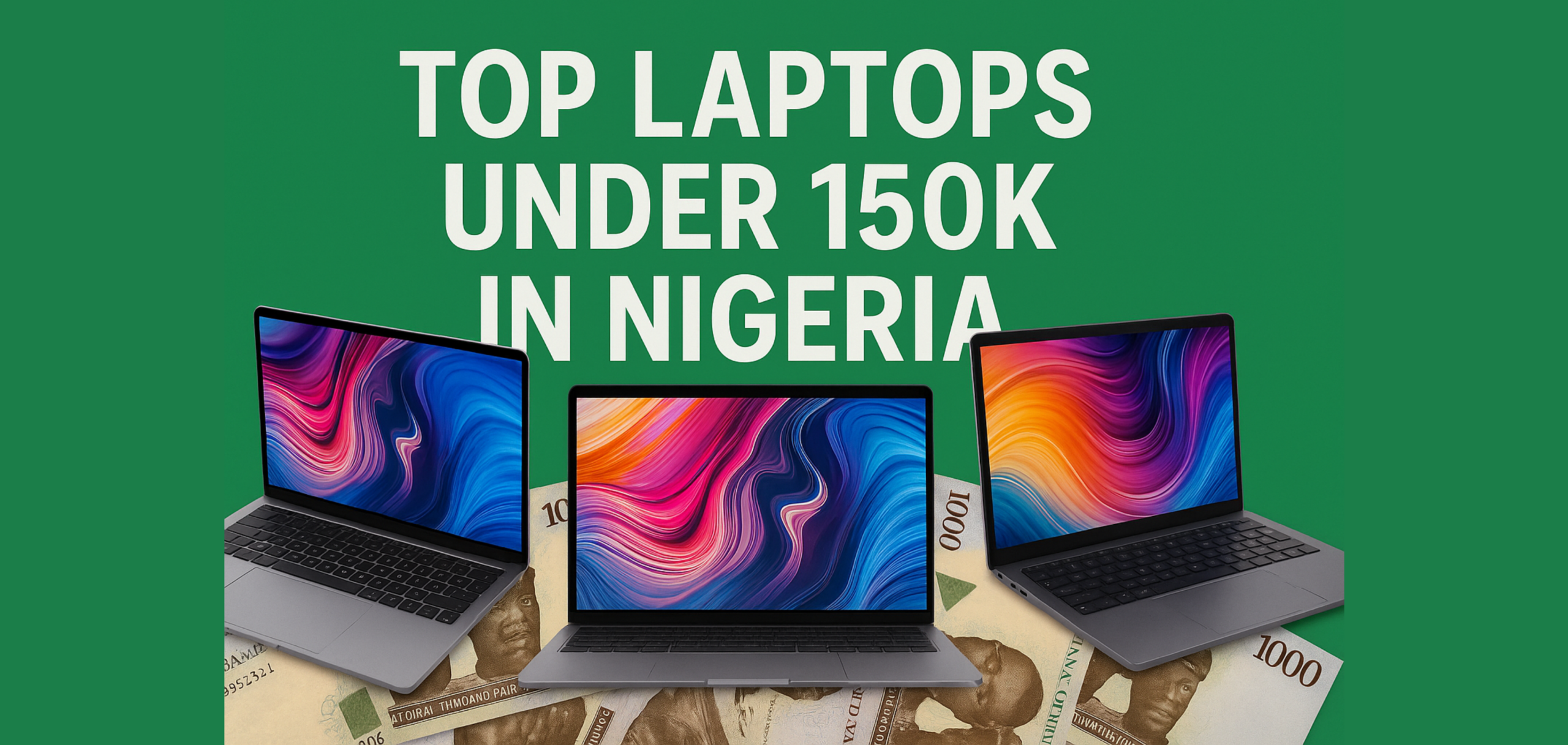
          Top 5 Laptops Under 150k in Nigeria

          Trying to find a solid laptop under ₦150,000 in Nigeria can feel almost impossible if you want something that lasts, doesn’t lag, and can handle daily work without constantly freezing. Here in this article we’ve gone through the options and picked five laptops that truly stand out in this budget range.

          Some of these laptops may be older models, but they still deliver reliable performance for students, freelancers, office workers, and anyone who just wants a dependable Windows laptop without breaking the bank.

          Laptops Under 150k in Nigeria

          Here’s a list of current offers you do not want to miss out on:

          [1] Dell Latitude E6230 – ₦138,000.00

          The Dell Latitude E6230 is a compact, business-class laptop that balances portability, performance, and durability. With its 12.5″ screen, rugged build, and solid Intel Core options, it’s ideal for students and professionals who need a dependable machine for productivity tasks, browsing, and office use all without breaking ₦150,000. 

          Key Specs

          Details Details 
          Processor (CPU)Intel Core i3 @2.60GHz
          RAM (Max. Upgrade)8GB (16GB)
          Storage320GB HDD
          Display12.5-inch (1366 Ă— 768)
          GraphicsIntel HD 400
          Ports2Ă— USB 3.0, VGA, HDMI, Card reader
          Battery Life 4-6 hours (depending on battery health) 
          Weight1.3kg

          More info on Dell Latitude E6230

          Students, office workers, writers/content creators, budget buyers, and freelancers will find the Dell Latitude E6230 suitable because it boots in less than 15 seconds, handles Microsoft Office, Chrome, streaming, and light programming smoothly, and supports limited multitasking with 4GB RAM. It is not suitable for gaming or heavy software like AutoCAD.

          ProsCons
          Lightweight and highly portableOlder CPU (3rd-Gen)
          Durable, sturdy buildBase storage (HDD) is slow unless upgraded
          Reasonably upgradableSmall screen might not suit everyone

          [2] Lenovo Thinkpad – ₦85,000

          Compact and rugged, the Thinkpad X230 delivers a reliable performance with its Intel Core i5 processor, upgradable storage option. Despite being an older model, it is highly regarded in the thinkpad community because of its strong build, classic Thinkpad keyboard. It is a practical choice for students and professionals who need a dependable workhouse that is easy to carry and maintain throughout busy schedules.

          Key Specs 

          FeaturesDetails
          Processor (CPU)Intel Core i5 @2.60 GHz
          RAM (Max. Upgrade)4 GB (8 GB)
          Storage500 GB
          Display12-inch ( 1366 Ă— 768)
          GraphicsIntel HD Graphics 4000
          Ports3 Ă— USB ports,  VGA output, SD card reader
          Battery Life4-5 hours 
          Weight1.4 kg

          More info on Lenovo ThinkPad X230

          Students, writers, and tech-savvy buyers benefit from the ThinkPad X230 as it offers fast boot speed (especially when installed), smooth multitasking for light to moderate tasks, stable web browsing even with multiple tabs, low heat levels during extended use, and minimal noise due to efficient cooling and light components.

          ProsCons
          Very affordableOnly 4GB RAM – could be limiting
          Good brand/reliability500GB HDD is slower than SSD
          Lightweight form factorOlder integrated graphics – not for graphics-heavy work

          [3] HP Elitebook 2570p –  â‚¦150,000

          The HP EliteBook 2570p is a rugged, ultra-portable business laptop that mixes performance and portability in a compact 12.5″ form. On Shopinverse, it’s offered as a used workstation with a strong Intel Core i7 CPU, making it a great pick for professionals and students who need a durable, reliable machine for productivity tasks, but don’t need a large screen.

          Key Specs  

          Features Details 
          Processor (CPU)Intel Core i5 @2.60 GHz
          RAM (Max. Upgrade) 4 GB (8GB)
          Storage500 GB HDD
          Display12-inch ( 1366 Ă— 768)
          GraphicsIntel HD Graphics 4000
          Ports3 Ă— USB ports, VGA output, SD card reader 
          Battery Life 3-4 hours 
          Weight1.63 kg

          More info on HP EliteBook 2570p

          Freelancers, budget buyers, students, and professionals who work with spreadsheets, documents, and email will find it effective because it offers about 25 seconds boot speed, moderate multitasking, smooth media playback, capability for light development, and minimal noise, all packed in a compact and sturdy design.

          ProsCons
          Very compact and lightShort battery life
          Sturdy build qualityHDD is slow
          Good performance (i7 CPU)No modern ports like USB-C
          Multiple USB portsSmall screen may be limiting
          Good for on-the-go productivity

          [4] Dell Latitude E5520 –  â‚¦150,000

          Built with durability and business reliabilty, the Dell latitude E5520 remains one of the most dependable budget Windows laptops available in Nigeria today. It offers a solid combination of performance, strong build quality, comfortable keyboard and long-term usability.

          Key Specs

          Features Details 
          Processor (CPU)Intel  Core i5 @2.50GHz
          RAM (Max. Upgrade)4GB (8GB)
          Storage 250GB HDD
          Display15.6-inch (1366 Ă— 768)
          GraphicsIntegrated Intel HD graphics 
          Ports4 Ă— USB 2.0, VGA, HDMI, SD card reader 
          Battery life 4-5 hours
          Weight 2.3 kg 

          More info on Dell Latitude E5520

          Users who type a lot, programmers (light/medium), people working on the go, and small business owners will appreciate the Dell Latitude E5520 because it offers moderate boot speed, smooth performance for office tasks like Word, Excel, and PDF editing, around 5 hours of browsing use, manageable heat under load, and minimal noise.

          ProsCons
          Larger 15.6” screenOlder CPU
          Very affordableBase 4GB RAM and HDD are outdated
          Upgradable RAM/StorageIntegrated graphics only – not for games or graphics-heavy work
          Good for everyday tasks

          [5] HP Probook 6550b – ₦128,500

          Designed for affordability and basic productivity, this 15-inch business laptop delivers reliable performance for everyday tasks. With a full-sized screen, standard ports, and a simple and functional design, it offers the best price-to-value ratio, making it ideal for budget-conscious buyers. 

          Key Specs 

          Features Details
          Processor (CPU)Intel Core i3 @2.40 GHz 
          RAM (Max. Upgrade)4GB (8GB)
          Storage 250 GB HDD
          Display15-inch (1366 Ă— 768)
          Graphics Integrated intel HD 
          Ports 4 Ă— USB-A, VGA out, SD card reade
          Battery Life 3-4 hours (depends on usage) 
          Weight 2.51 kg

          More info on HP ProBook 6550b

          First-time laptop buyers and office workers benefit from the ProBook 6550b because it performs well for basic tasks, though with slow boot speed, support for only a few programs at once, reliable office work handling, poor battery life, and modest heat and noise levels.

          ProsCons
          Full-size 15” screenLower-end CPU (Core i3)
          Simple and functional for light tasksHDD storage, slow compared to SSD
          AffordableGraphics and display are basic
          Short backup on used unit

          Wrap-up

          All five laptops featured here provide strong price-to-value options for anyone on a budget. While none are suited for heavy gaming or demanding graphics work, they excel in office productivity, web browsing, and light development tasks. 

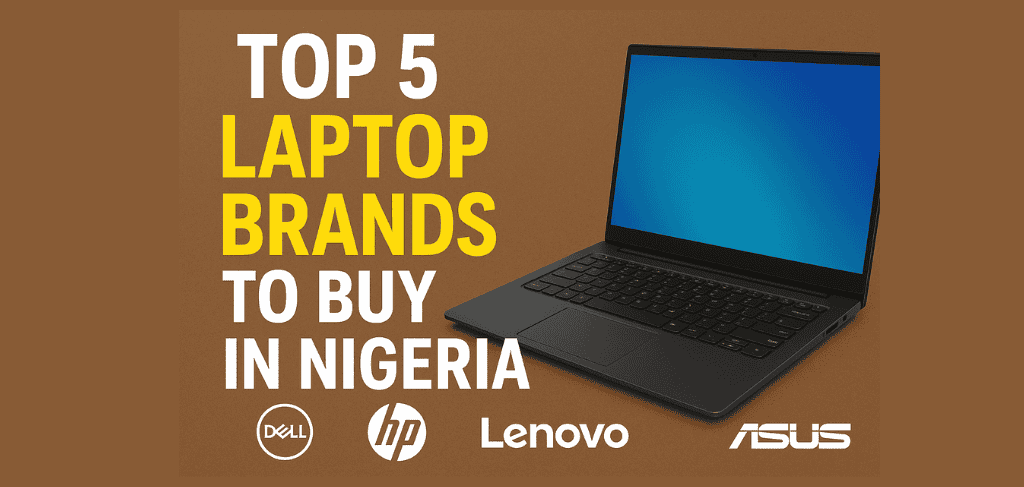
          Top 5 Laptop Brands to Buy in Nigeria (2026)

          Choosing the right laptop in Nigeria can be difficult with so many brands available, but Nigerians generally seek devices that offer strong performance, durability, and good value for money. This article explores the best laptop brands in Nigeria for 2026—those that have proven their reliability, quality, and after-sales support across different budgets and user needs.

          Before exploring these top brands, it’s important to understand the key factors Nigerian buyers consider when choosing a laptop. These factors influence not just the kind of laptop people buy, but also how well it serves their needs in everyday use.

          Key Factors to Consider When Buying a Laptop in Nigeria

          • Performance: How fast the laptop runs, handles multiple tasks, and supports graphics-heavy activities.
          • Battery Life: A key factor due to inconsistent power supply; users need long-lasting batteries.
          • Durability: The laptop’s ability to withstand frequent travel and everyday use.
          • After-Sales Support: Easy access to warranty services, spare parts, and reliable local repair options.
          • Price-to-Value Ratio: Ensuring the laptop offers strong features and performance for its cost.

          All of the above will be considered as we rank the best laptop brands for you to buy as a Nigerian.

          [1] HP

          Overview

          Hewlett-Packard is one of the most trusted laptop brands in Nigeria, popular among students, professionals, and business users. Known for reliability and quality, HP laptops are a common choice for those seeking devices that last and perform consistently.
          No matter the price or model, HP laptops are known for their durable build quality, reliable performance, long battery life, and dependable after-sales support. These features ensure that whether you buy a budget-friendly or high-end HP laptop, you can expect the same level of quality and dependability.

          Why Nigerians Choose HP

          • Easy availability both online and offline.
          • Modern features like security tools, energy efficiency, and sleek designs.
          • Versatile for work, study, and entertainment.

          [2] DELL

          Overview

          Dell is a highly respected laptop brand in Nigeria, widely favored by professionals, students, and businesses for its dependable performance and long-lasting build. The brand is known for producing laptops that can handle demanding tasks while remaining reliable over time.
          Dell laptops consistently offer robust build quality, stable performance, excellent battery life, and strong after-sales support. Whether it’s an entry-level model or a high-end workstation, Dell maintains these standards, ensuring users get a reliable device regardless of their budget.

          Why Nigerians Choose Dell

          • Wide availability both online and offline.
          • Professional, sleek designs suitable for work or study.
          • Versatile performance for a variety of tasks.

          [3] Lenovo

          Overview

          Lenovo has built a strong reputation in Nigeria for producing reliable, high-performing laptops that suit both personal and professional needs. From students to corporate users, Lenovo laptops are appreciated for their balance of performance, durability, and modern design.
          Lenovo laptops are known for their sturdy build, powerful processors, comfortable keyboards, and long-lasting batteries. Whether it’s an affordable IdeaPad or a premium ThinkPad, Lenovo ensures consistent quality and efficiency across all price ranges, making them dependable for everyday use.

          Why Nigerians Choose Lenovo

          • Strong performance suited for multitasking and business use.
          • Excellent battery life and efficient power management.
          • Durable designs built to withstand frequent travel or heavy use.
          • Widely available replacement parts and repair support in Nigeria.

          [4] Apple

          Overview

          Apple stands out as a premium laptop brand in Nigeria, admired for its sleek design, outstanding performance, and long lifespan. MacBooks are especially popular among creatives, professionals, and business owners who prioritize quality, speed, and reliability.
          Every MacBook offers exceptional build quality, powerful performance, long battery life, and seamless software integration. Apple’s macOS ecosystem ensures smooth operation, while the company’s attention to detail guarantees a premium experience in both hardware and software.

          Why Nigerians Choose Apple

          • Elegant, lightweight designs ideal for mobility.
          • Excellent battery performance and display quality.
          • Reliable security and smooth performance with macOS.
          • Strong resale value and long-term durability.

          [5] ASUS

          Overview

          ASUS has gained strong recognition in Nigeria for delivering laptops that combine innovation, performance, and affordability. The brand caters to a wide range of users—from students to gamers—offering devices that balance style, speed, and reliability.
          ASUS laptops are known for their high-performance hardware, durable designs, and efficient cooling systems. Whether it’s a budget VivoBook or a powerful ROG gaming laptop, ASUS maintains consistent build quality and performance across its lineup.

          Why Nigerians Choose ASUS

          • Excellent performance-to-price ratio.
          • Stylish, lightweight designs ideal for mobility.
          • Reliable cooling and battery efficiency.
          • Variety of models suited for both casual and professional users.

          Table Showing Key Factors for Choosing Laptops in Nigeria

          BrandReliabilityPerformanceBattery LifeDurabilitySupport & Parts AvailabilityValue for Money
          Lenovo4.54.24.04.64.04.4
          Dell4.34.34.34.44.14.2
          HP4.04.14.04.24.54.0
          ASUS3.94.03.84.03.64.2
          Apple3.44.54.34.42.83.2

          Final Thoughts

          Finding the right laptop in Nigeria is easier when you know the top brands. From HP and Dell to Lenovo, Apple, and ASUS, there’s a reliable option for every need.

          You can get them all conveniently at Shop Inverse, where genuine laptops and great deals meet excellent service.

          We sell all laptops & gadgets
          This is default text for notification bar